
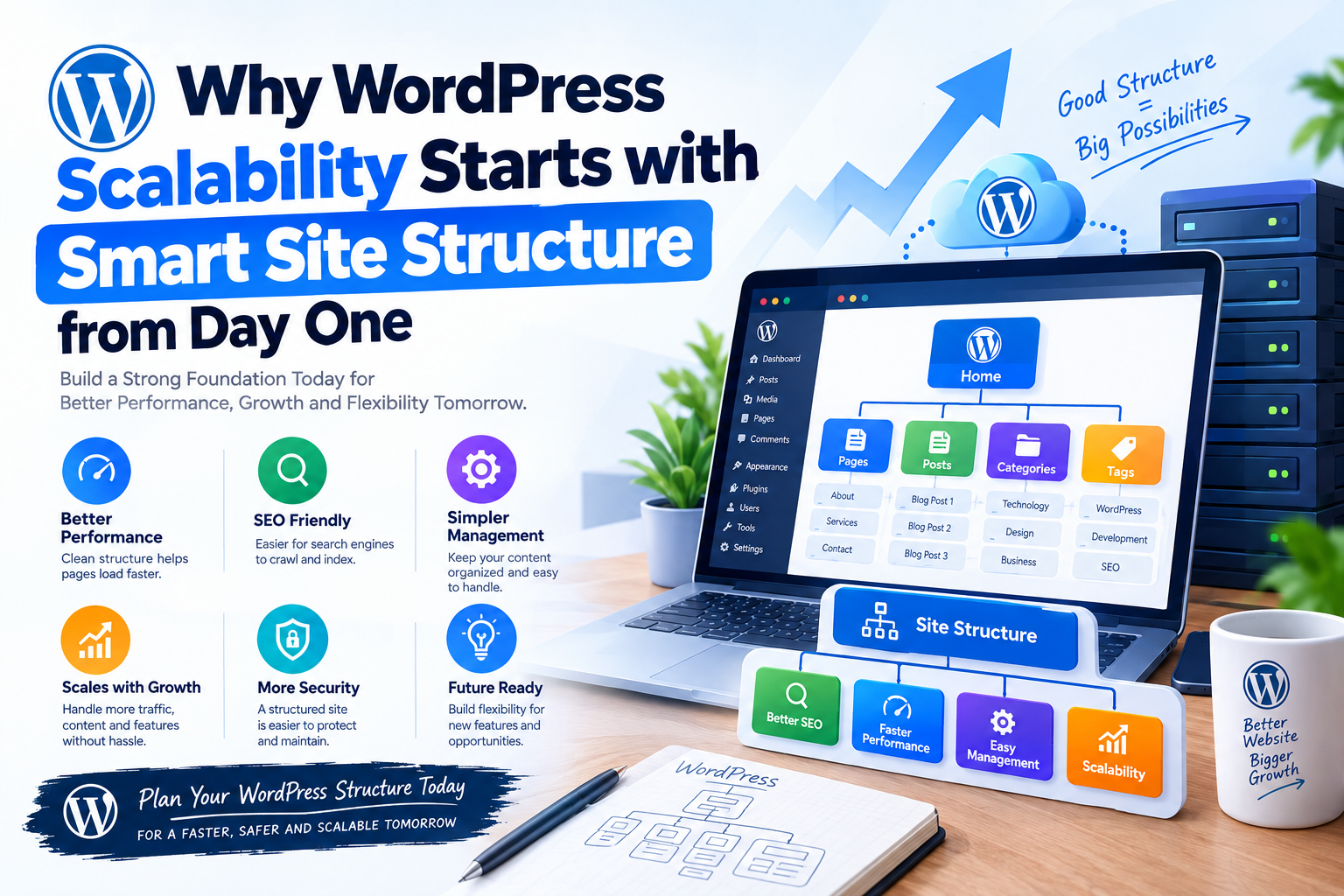
Why WordPress Scalability Starts with Smart Site Structure from Day One
WordPress makes it easy to launch a website quickly. You can install a theme, add a few plugins, publish content, and have a functional website in a short amount of time.
What Does WordPress Scalability Mean?
WordPress scalability refers to the ability of a website to handle increasing traffic, content, users, and functionality while maintaining acceptable performance and reliability.
Imagine starting with a small business website that receives a few hundred visitors per month. Over time, the business becomes successful and the website starts receiving thousands of visitors every day. The website may also add an online store, customer accounts, blog content, product catalogs, forms, APIs, and third-party integrations.
If the original architecture was designed only for a small website, this growth can expose weaknesses.
A scalable WordPress website is designed so that increasing demand can be handled through better caching, optimized database queries, efficient hosting, content delivery networks, optimized assets, and appropriate application architecture.
The foundation for all of this is the site structure.
Why Site Structure Matters from Day One
Site structure determines how content, functionality, URLs, templates, navigation, categories, media, and internal relationships are organized.
A poorly structured WordPress website can create unnecessary complexity as it grows. Developers may need to work around duplicated content structures, excessive plugins, inefficient queries, complicated templates, and inconsistent URLs.
A smart structure creates clear relationships between different parts of the website.
For example, a content-focused website might follow a structure such as:
Website
│
├── Home
├── About
├── Services
│ ├── Web Development
│ ├── App Development
│ └── Digital Solutions
├── Blog
│ ├── WordPress
│ ├── PHP
│ ├── React
│ └── Node.js
└── Contact
This structure is easy for users, search engines, developers, and content managers to understand.
More importantly, it gives the website a predictable foundation for future growth.
Scalability Is More Than Hosting
One of the biggest misconceptions about WordPress scalability is that a powerful hosting server automatically makes a website scalable.
Hosting is important, but it is only one part of the system.
If a website contains inefficient database queries, dozens of unnecessary plugins, unoptimized images, poor caching, badly designed custom code, and excessive frontend assets, simply increasing server resources may not solve the underlying problems.
A scalable WordPress architecture combines a sensible site structure with optimized application code, database performance, caching, media optimization, and infrastructure.
The earlier these decisions are made, the easier it becomes to scale later.
Start with a Clear Content Hierarchy
A scalable WordPress website should have a logical content hierarchy.
Pages, posts, categories, tags, custom post types, and taxonomies should each have a clear purpose.
For example, a technology publication might organize content into categories such as WordPress, PHP, React, JavaScript, and Node.js.
Instead of creating separate custom structures for every small variation, developers should first determine whether existing WordPress content types and taxonomies can represent the information effectively.
A clear content hierarchy makes navigation easier and can also simplify database queries, templates, internal linking, and content management.
Use Categories and Taxonomies Carefully
WordPress provides categories and tags for organizing content, but using them without a clear strategy can create unnecessary complexity.
Categories should generally represent meaningful content groups, while tags can be useful for specific topics or attributes.
Creating hundreds of overlapping categories or assigning excessive tags to every post can make content management harder and may create unnecessary archive pages.
Before creating a taxonomy, ask whether it provides meaningful value to users and whether it will still make sense when the website contains thousands of posts.
Planning this structure early can prevent expensive restructuring later.
Design URLs for Long-Term Growth
URLs are another important part of a scalable site structure.
A URL structure should be predictable, readable, and consistent.
For example:
/blog/
/blog/wordpress/
/blog/wordpress/scalability-guide/
This is easier to understand than a structure filled with inconsistent parameters or randomly generated paths.
Changing URLs later can create additional work involving redirects, internal links, search engine indexing, analytics, and external references.
A thoughtful URL strategy from the beginning can therefore reduce technical maintenance as the website grows.
Avoid an Excessive Number of Plugins
Plugins are one of WordPress’s greatest strengths, but they can also become a scalability problem when used without a clear strategy.
Installing a plugin for every small feature can result in unnecessary database operations, additional frontend assets, background tasks, API requests, and compatibility concerns.
The issue is not simply the number of plugins. Plugin quality and behavior matter more.
A well-developed plugin can have little performance impact, while a poorly designed plugin can create expensive database queries or background processes.
Before installing a plugin, consider whether the functionality is actually required and whether it can be implemented efficiently through existing functionality or lightweight custom code.
Choose a Scalable Theme Architecture
The theme controls a significant part of the website’s presentation layer.
A scalable theme should be structured around reusable components and templates instead of duplicating large amounts of code.
When the website grows, developers should be able to update one component without modifying dozens of unrelated templates.
For example, a reusable card component can be used across blog archives, search results, category pages, and related-content sections.
This approach improves maintainability and reduces the likelihood of inconsistent UI behavior.
Keep Business Logic Out of the Theme
A common WordPress development mistake is putting important application functionality directly inside the theme.
For example, custom database operations, API integrations, authentication logic, or business rules should not depend entirely on a particular visual theme.
Themes should primarily handle presentation.
Functionality that needs to survive a theme change should generally be implemented through plugins or an appropriate application layer.
This separation makes future redesigns and architectural changes much easier.
Plan Custom Post Types Early
As a WordPress project grows, developers may need to manage content that does not fit naturally into standard posts or pages.
Examples might include products, properties, events, courses, team members, case studies, or job listings.
Custom Post Types can provide a structured way to manage these entities.
For example:
Posts
├── Blog Articles
Custom Post Types
├── Products
├── Case Studies
├── Events
└── Team Members
This structure is often more maintainable than storing everything as ordinary pages with complicated metadata.
The important part is to define the content model before the website becomes heavily populated.
Be Careful with Custom Fields
Custom fields are useful for structured data, but they should be designed carefully.
A website with thousands of posts and many custom fields can generate a significant amount of metadata.
If custom fields are used inefficiently, complex queries can become expensive.
Developers should identify which information needs to be stored as post metadata and which information may be better represented using custom post types, taxonomies, dedicated tables, or another appropriate storage strategy.
The correct choice depends on the application’s requirements and data volume.
Build Caching into the Architecture
Caching is one of the most important technologies for scalable WordPress websites.
Without caching, every visitor may cause WordPress to execute PHP code, query the database, generate HTML, and perform other processing.
Caching can reduce the amount of work required for repeated requests.
A scalable WordPress setup may use several caching layers.
Visitor
↓
CDN / Edge Cache
↓
Page Cache
↓
Object Cache
↓
PHP / WordPress
↓
Database
The exact architecture depends on the website, but multiple caching layers can help reduce application and database load.
Use a CDN for Growing Traffic
A Content Delivery Network can distribute static assets closer to users geographically.
CSS files, JavaScript files, images, fonts, and other cacheable resources can often be delivered through edge locations rather than directly from the origin server.
This can reduce origin bandwidth usage and improve response times for users in different regions.
A CDN becomes particularly useful when a WordPress website receives traffic from multiple geographic locations.
Plan for Traffic Spikes
Scalability is not only about average traffic.
A website may experience sudden traffic spikes because of marketing campaigns, product launches, news coverage, social media activity, or seasonal demand.
A website designed only for normal traffic may become unavailable during these events.
Caching, CDN infrastructure, optimized database operations, and scalable hosting can help absorb sudden increases in traffic.
The architecture should therefore be designed around expected peak demand rather than only average daily visitors.
Build a Staging Environment
A staging environment should closely resemble production.
Instead of testing major changes directly on the live website, developers can first deploy them to staging.
This is especially important for large WordPress websites where plugin conflicts, database migrations, theme changes, and PHP version changes can have significant consequences.
A good deployment workflow might look like:
Development
↓
Code Review
↓
Staging
↓
Testing
↓
Performance Check
↓
Production
↓
Monitoring
This approach reduces the risk of introducing problems to a high-traffic website.
Monitor Performance from Day One
Scalability requires measurement.
Without monitoring, developers may not know which part of the website is becoming a bottleneck.
Important metrics can include page response time, PHP execution time, database query performance, CPU usage, memory usage, cache hit rates, error rates, and traffic patterns.
Performance monitoring also makes it easier to compare application behavior before and after architectural changes.
The earlier monitoring is introduced, the easier it becomes to identify trends before they become serious problems.
Design for Maintainability
Scalability and maintainability are closely connected.
A website may technically handle high traffic but still become difficult to maintain if its codebase is poorly structured.
Reusable components, clear naming conventions, separation of responsibilities, documented integrations, and consistent coding practices all help teams maintain growing WordPress applications.
When developers can understand and modify the system efficiently, scaling becomes less risky.
Common WordPress Scalability Mistakes
One of the most common mistakes is building a website around short-term requirements without considering how content and
functionality will grow.
Another problem is adding plugins whenever a new requirement appears without reviewing their performance impact.
Poor database queries can also become a major bottleneck when content grows.
Large unoptimized images, missing caching, excessive frontend scripts, and inefficient custom code can further increase
server workload.
Another common mistake is waiting until the website becomes slow before introducing monitoring and performance testing.
Scalability should be treated as an ongoing engineering process rather than an emergency response.
How Smart Structure Supports SEO
Site structure is also closely connected to search engine optimization.
A logical hierarchy makes it easier for search engines to understand relationships between pages.
Clear URLs, meaningful categories, internal links, useful navigation, and properly structured content can support better
crawling and content discovery.
A scalable SEO structure should also avoid unnecessary duplicate pages and uncontrolled taxonomy archives.
When SEO and architecture are considered together, the website becomes easier to grow without repeatedly restructuring
its information architecture.
Security and Scalability
Security should also be included in the scalability strategy.
As traffic and functionality increase, the number of potential attack surfaces can also increase.
Plugins, APIs, admin accounts, file uploads, authentication systems, and third-party integrations should all be reviewed
regularly.
A scalable WordPress architecture should therefore include secure authentication, appropriate permissions, protected
administrative areas, regular updates, backups, monitoring, and a recovery strategy.
A website that can handle traffic but cannot recover from a security incident is not truly resilient.
The Role of Professional WordPress Development
For complex WordPress websites, professional architecture planning can prevent many problems before development begins.
A development team can analyze the expected traffic, content structure, integrations, database requirements, caching
strategy, plugin architecture, security requirements, and deployment process.
Mechodal Technology can help businesses design and develop WordPress solutions with a focus on maintainability,
performance, scalability, and long-term growth.
The right architecture depends on the project’s requirements. A small business website, an eCommerce platform, a
publishing website, and an enterprise portal may all require different approaches.
The objective should always be to create an architecture that matches the actual business and technical requirements.
Final Thoughts
WordPress scalability does not begin when a website suddenly receives more traffic. It begins with the decisions made
during the initial planning and development stages.
A clear content hierarchy, thoughtful URL structure, carefully selected plugins, reusable theme architecture, optimized
database access, effective caching, optimized media, reliable infrastructure, and continuous monitoring create a strong
foundation for long-term growth.
The goal is not to overengineer a website from day one. Instead, developers should create a clean and flexible structure
that can evolve as traffic, content, users, and business requirements increase.
When scalability is considered from the beginning, future growth becomes an architectural evolution rather than a
complete rebuild.
A smart WordPress site structure gives developers more control, reduces technical debt, improves maintainability, and
provides a stronger foundation for performance as the website grows.
In 2026, building for scalability is not simply about preparing for more visitors. It is about creating a WordPress
application that can continue to perform, remain secure, and stay maintainable as the business grows.